Angelina

It's time to upgrade your internet browser!

In order to get the most out of our website, and the internet in general, we suggest you upgrade your browser. It's free and will make your internet experience much more enjoyable! Check out these options to see which one is right for you.


Blog au Roux

Great Creole cuisine comes from the blending of cultural influences — French, Spanish, Caribbean and African — to create a truly distinctive and memorable taste. Our varied backgrounds allow us to share our collective expertise. As for Creole cooking, we start with one core piece of advice, “First you make a roux…”

Why Good Design Takes Time

Between fast food, instant movie queues, and rush projects it seems like everything in our lives is delivered instantaneously, so why isn’t your website? On the surface, a website consists of a few photos and some content, so one may wonder, “why am I being billed for hours of work?”

The answer is simple: Good Design Takes Time. Good design incorporates all of the assets that are important to the client, product, or service, and presents them in a way that favorably showcases them to customers. Bad design can be fast because it is created without much thought, and it is the research and thought behind our decisions that makes a project successful. If all good solutions require an investment in time, effort, and energy to create, then a well designed website should not be any different.

I will break down the complexities of web design into the following topics:

Let’s start from the beginning: What is design? Design is about problem solving

Imagine that you are building a wooden birdhouse. Ask yourself, “which would make a better birdhouse: masking tape or wood glue?” The answer is easy; with all things created equal, we would choose the wood glue because it is Learning About Your Client When Designingwell suited for the task of joining pieces of wood.

When finding solutions for an actual (and oftentimes, more complex) project though, it is very rare that all things are created equal; there are always deadlines, budget constraints, and unforeseen obstacles that may arise.

So, thinking back to our birdhouse, what if the masking tape was within arms reach and the wood glue was behind many heavy boxes? What if the birdhouse needed to be finished that day with no time for the wood glue to dry?

Rushing the time it takes to design and properly solve the problem is like choosing tape to assemble a birdhouse—just because the solution is easier and faster to make does not mean the end product will be long lasting, effective, or even useful.

When given time to think, research, and learn about the project, one could realize that using nails instead of tape or glue would create an even stronger, more well-built birdhouse, while still meeting the same deadline. This approach can be applied to the web development process.

We strive to learn as much as we can about our clients before making their websites—the intended audience, target market, and demographic information, the competition, and business goals and objectives—in order to produce useful, usable, and desirable website experiences for our customers. It is through this communication and research that we can develop a better understanding of our clients and thus create more effective products, which meet the needs and goals of our clients.

These objectives can only be achieved by recognizing that a good, strong, long-lasting solution requires time to think, research, and plan throughout the project, but the solution can still meet client expectations and delivery dates.

Back to the top »

How do you use the best design practices to create a website?

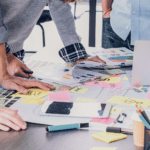
Once we understand the client’s business needs and goals, we can sit down and begin to create design concept solutions that meet these customer objectives. We begin with initial rough sketches using graph paper and pencil focusing on the creation of rapid prototypes, and then move onto refining and combining the strongest sketches into a visual guide called wireframes, which represent the skeletal framework of the website and are set in grayscale format.

What is often not seen by the client is the amount of sketching, Web Design Tricksplanning, and research time that is invested into the creation of the wireframe solutions, in order to depict the best page layout arrangements, including interface and navigation elements, that perfectly suit customer needs.

After we create the website wireframes, we then move on to creating a mockup—a more comprehensive layout concept based off of the wireframes that shows the relative positions of text, illustrations, and other graphic elements—set in color, and displays the final layout in which to build around.

During the mockup phase, we can begin to see how the design concept is affected by adding in the specific content and images, and we often must augment our design. It is only through careful planning and review that we can resolve issues that arise so that the integrity of the project is maintained.

Once the mockup is approved, we then use the concept as a guide to create the website. Think of a mockup as a blueprint for a house—it is a detailed plan that allows the architects to know where to put the walls, rooms, and amenities, and what colors to paint the rooms.

The mockup is used as a visual guide to build a website and the tools we use to implement the site include HTML and CSS. We use these tools to structure and style each container, heading, link, and button, as well as establish content hierarchy formatting. The website is built to replicate the mockup, but is optimized to load quickly and efficiently in a browser, and tested to ensure the website will appear in the desired format and be fully functional for viewers using a range of browser types.

The process of transferring a static mockup image into a workable, usable website that allows users to interact with the product or service incorporates a web designer’s strong understanding of design principles, as well as the ability to use semantic markup and stylesheets to develop, format, and layout the website framework and design components consistently.

Back to the top »

Ok, so your website is created; what about revisions?

Revisions and changes to the scope of a project are a part of everyday life, especially when designing for the web, where requirements gathered are guaranteed to change, and where technology is constantly evolving. Web designers, or as we like to call ourselves—graphic designers and front end developers—are flexible to change and understand, plan for, and implement sites with future growth, new business goals, or project boundaries in mind.

Websites, even once viewable to the general public, need to be frequently updated and kept current with relevant information to engage and retain users (or customers). Keeping that in mind, how do we keep the structural integrity and branding consistent when revisions arise? We do this by utilizing our design principles.

The design process is about solving problems, but the act of designing is about finding relationships. The mind works by finding relationships and grouping things that look similar, while pointing out things that look differeThe Elements of Designnt. The mind groups things every day to process information. For example, when you are typing on a computer the letters are often set in black upon a white background.

However, if the background color is too similar to the color of the text, it is difficult or almost impossible to read the words. It is the correct amount of contrast between the text and the background, or the negative space, which allows a user to easily read and process the information.

When you have multiple paragraphs of content on a page—despite there being a contrast between the background color and the text, or space between the paragraphs—all of the paragraphs will read as one solid block of information because the mind associates the paragraphs as a relationship and reads them as one unit.

Changing certain paragraphs, words, or letters to make them a different font weight, a different size, or a different color will help different types of content stand out from one another and create visual importance and order in which a user should read the information. That being said, making things bolder, larger, or a different color will not always ensure that content is legible or stands out.

Websites rarely have just a few paragraphs on a page. More often websites are presented in some form of layout, or shell, with primary and secondary levels of navigation, rotating or animated image areas, and a footer, that all must compete for a user’s attention in addition to the content. How do we decide what is most important? With so much information competing for a user’s attention, how do we make something stand out?

Perhaps instead of making everything stand out, we make some elements less important. The process of arranging items as being above, below, or at the same level as one another is called hierarchy. Establishing visual and content hierarchy on a website helps organize and label information for users so that they read and process the most important information first.

Back to the top »

How does color hierarchy affect my revision time?

I often encounter some confusion over how long it takes to change the colors of a website. Admittedly, the actual act of updating a specific color attribute takes a few seconds. However, this time is only the act of the physical change once a solution is in place. Determining a solution takes additional time as the website is not a solid block of color.

A website is made of many containers including backgrounds, text, gradients, shadows, borders, links, and buttons. It is not the act of changing a color that is time consuming. What takes time is keeping the usability of your website intact, even with color changes.

Every color or other visuaHow Colors Affect Designl change is chosen to help encourage the end user to view the website in a specific way so that the user can find information. This visual hierarchy allows customers to navigate the site in a user-friendly, easy to read, approachable format.

Customers who are confused when using a website, whether it be due to poor navigation structure, legibility, usability, credibility, or lack of visual and content hierarchy, will soon get frustrated and may abandon the website and product or service all together.

Even the simplest color changes can greatly affect the visual balance and ease of viewing and using a website. Colors do not live in a vacuum. There is a relationship between a color, surrounding colors, and the end use of colors.

When one of the colors is changed, the palette needs to be revisited to ensure that there is a harmonious relationship between the revised color scheme and the visual and content hierarchy, so that the content, product, or service is still communicated effectively and the site is still user-friendly.

When a client is billed for changing a color, or any other type of website revision, this cost represents the time for the designer to research and brainstorm solutions, evaluate the impact of these changes to legibility, usability, and visual and content hierarchy, and then implement these changes using semantic code that is then quality tested across multiple browser types to ensure the user experience remains consistent and fully functional.

Back to the top »

So what have we learned?

When working on a project, either during initial discussions, or just completing a small revision, I keep these design principles in my mind when making any decision. We solve problems and we create relationships so that the end user has ease in finding information, thus creating a successful website.

Creating a successful product can only be done by allotting enough time to think and problem solve, to ensure that the integrity of the concept is maintained, to balance these changes against design principles such as visual and content hierarchy, to check the solution against best practices and standards, and finally to test the changes to promote the best user experience possible.

Next time you are reading over a statement of work or wonder why it takes time to create a mockup, research, or make an update, please remember that we are striving to always deliver the best product for our clients and that good design takes time.

Back to the top »

Comments about Why Good Design Takes Time

  1. [...] Today we will be creating a simple keyframe animation of a blinking cat. I created a static mockup of a cat to use as our guide when web enabling. For more information on the purpose of a mockup, please visit my previous blog on Why Good Design Takes Time » [...]

Leave us a comment...